
Overview
Manager Etc. is a bulk management tool that allows Admins to make large-scale menu updates without navigating through individual menus and categories.
It is most commonly used for:
- Bulk price updates
- Updating Pricing Tiers beyond Tier One
- Managing menu structure at a high level
- Duplicating menu items
Manager Etc. is designed for efficiency. If you are updating only one or two items, Menu Manager is usually the better tool.
Tip: When editing menus, avoid working in multiple CaterZen tabs at the same time. Changes may not save correctly. If updates don’t appear, you may be prompted to clear your menu cache.
Accessing Manager Etc.
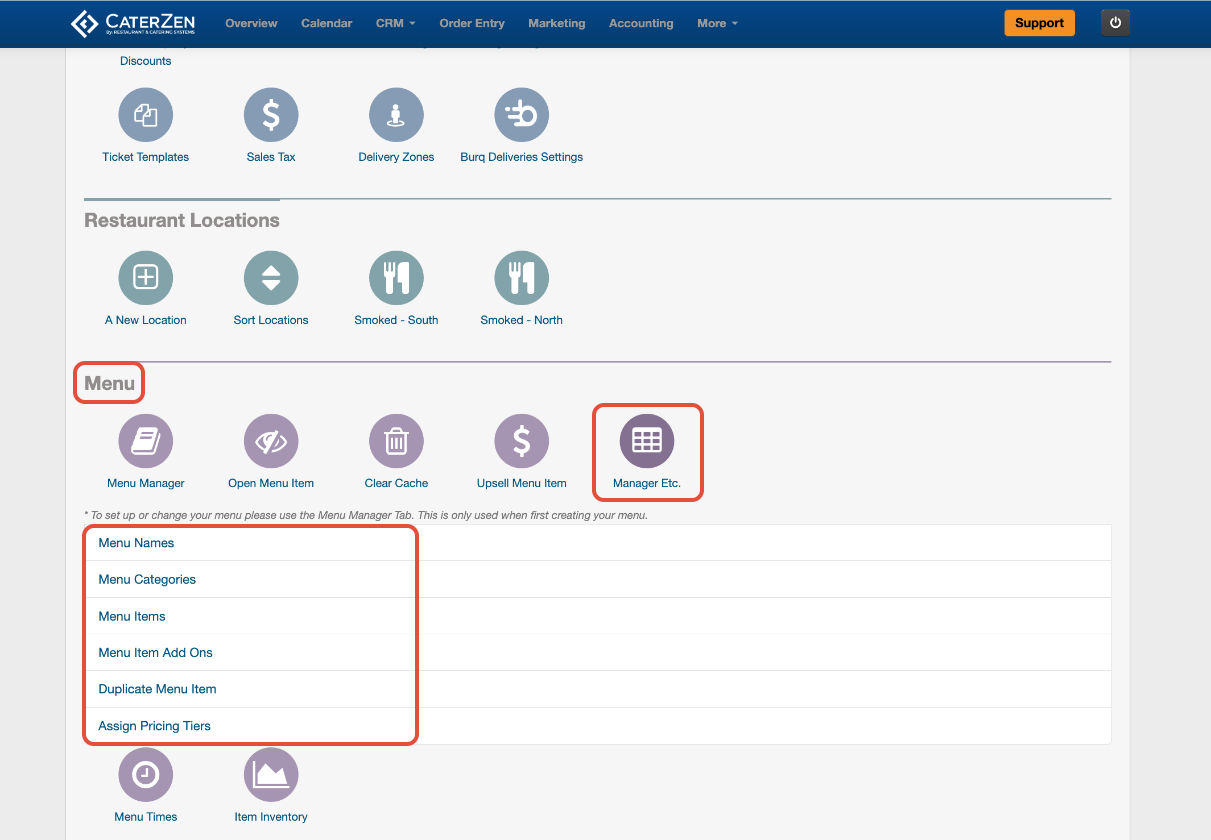
- Go to Admin
- In the Menu section, click Manager Etc.
You will see several links that allow you to manage menus and items in bulk.
Menu Names
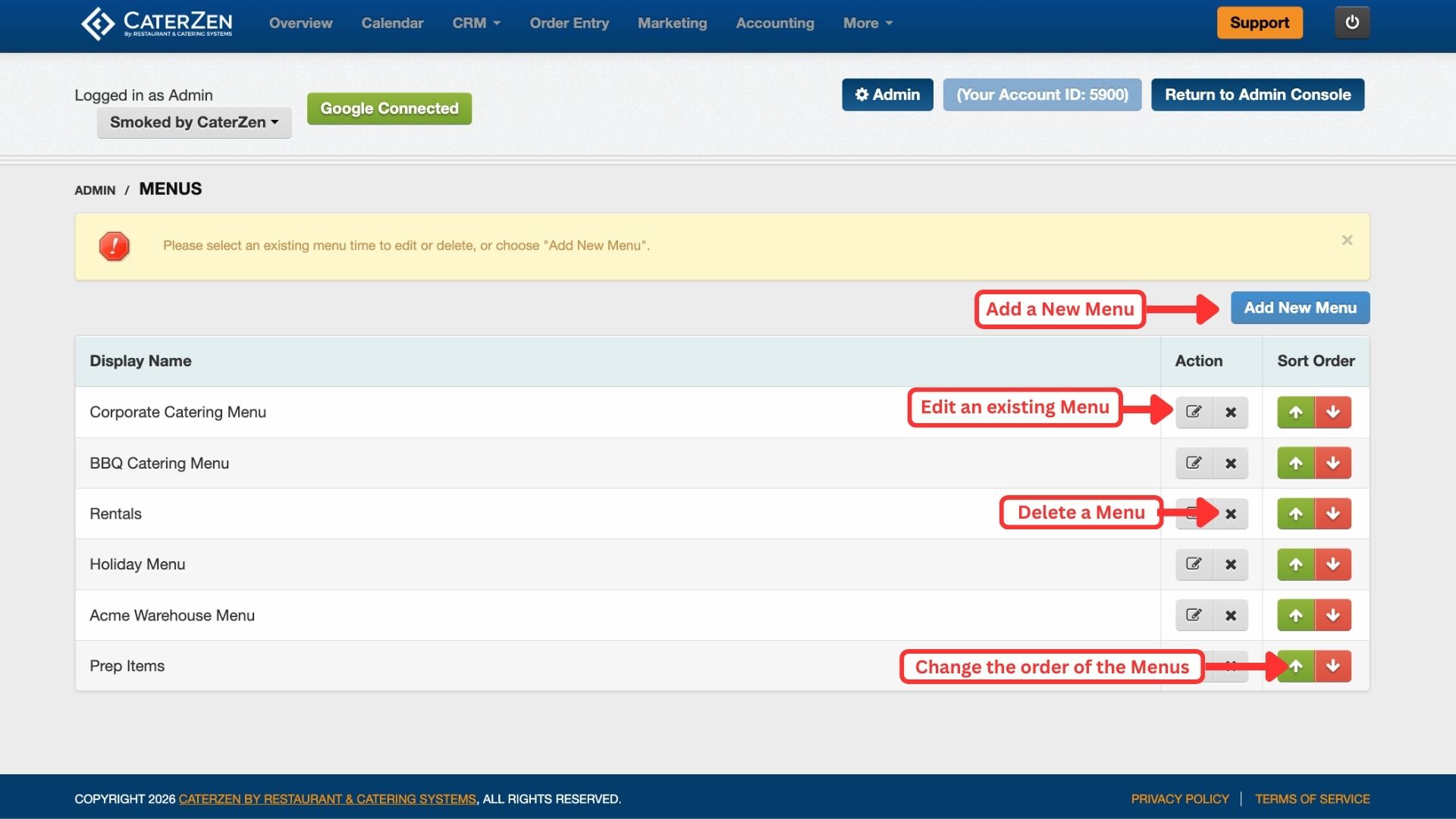
The Menu Names section allows you to manage menus at a high level.
From here, you can:
Add a new menu
Edit an existing menu
Delete a menu
Change the order menus appear
This is useful when reorganizing menus without opening each one individually.
Menu Categories
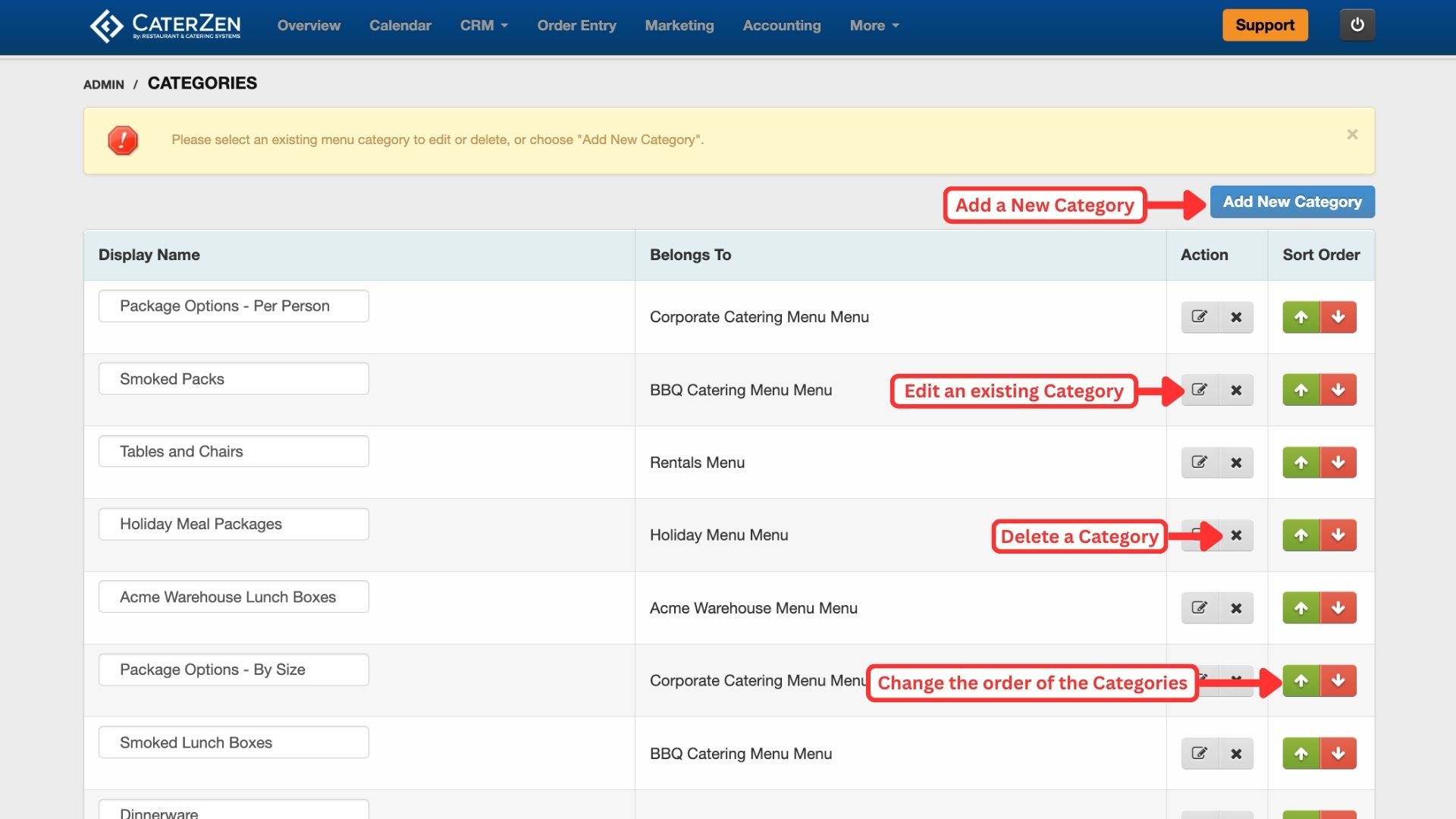
The Menu Categories section shows all categories across your account.
From here, you can:
Add new categories
Edit category names
Delete categories
Change category order
This view is helpful for bulk cleanup or reordering categories that exist across multiple menus.
Menu Items (Bulk Item Management)
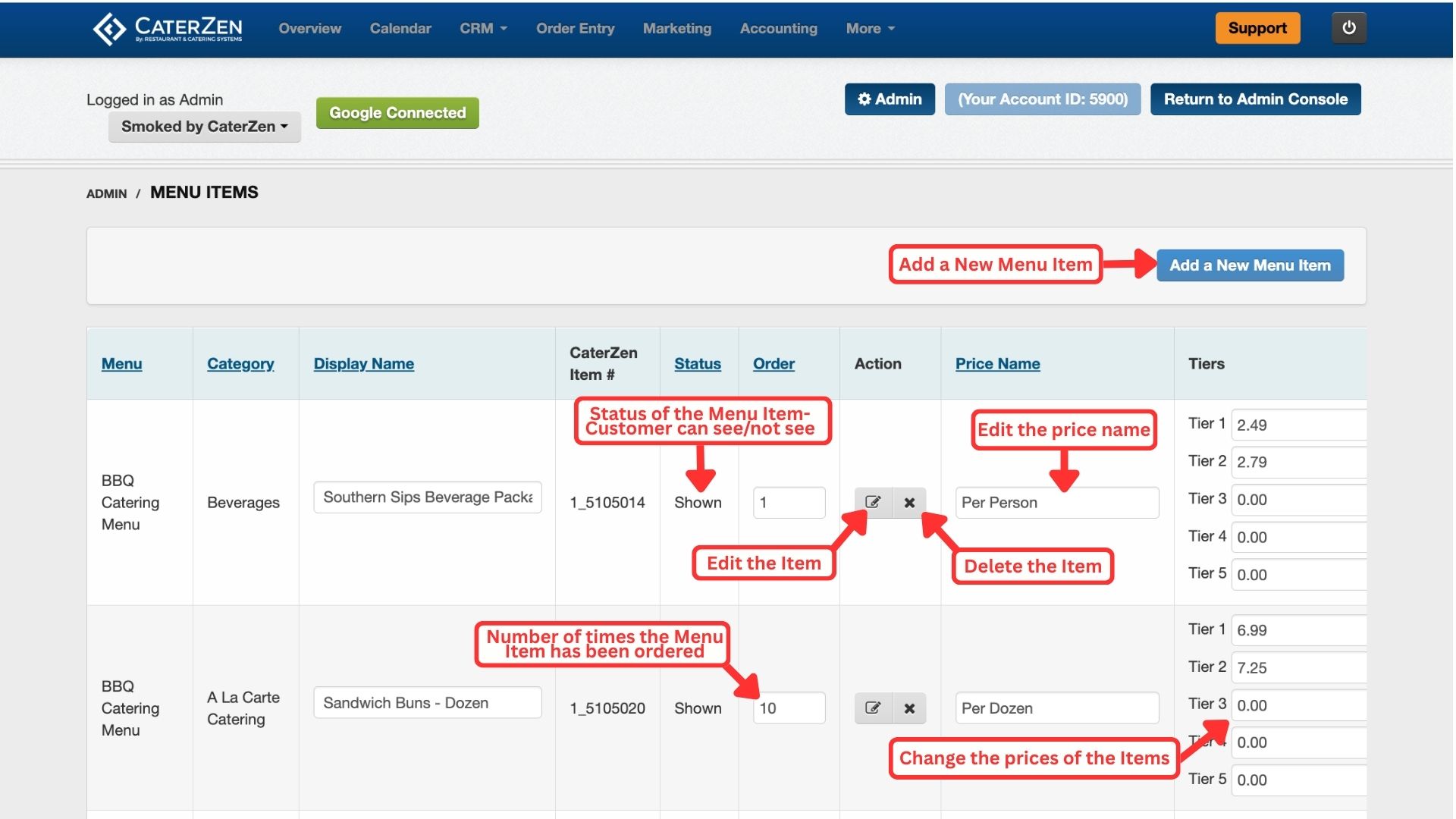
The Menu Items section provides a list of all menu items in your account.
From this screen, you can:
Edit menu items
Delete menu items
Hide or show items
Edit Price Names
Edit Prices, including Pricing Tiers
View how many times an item has been ordered
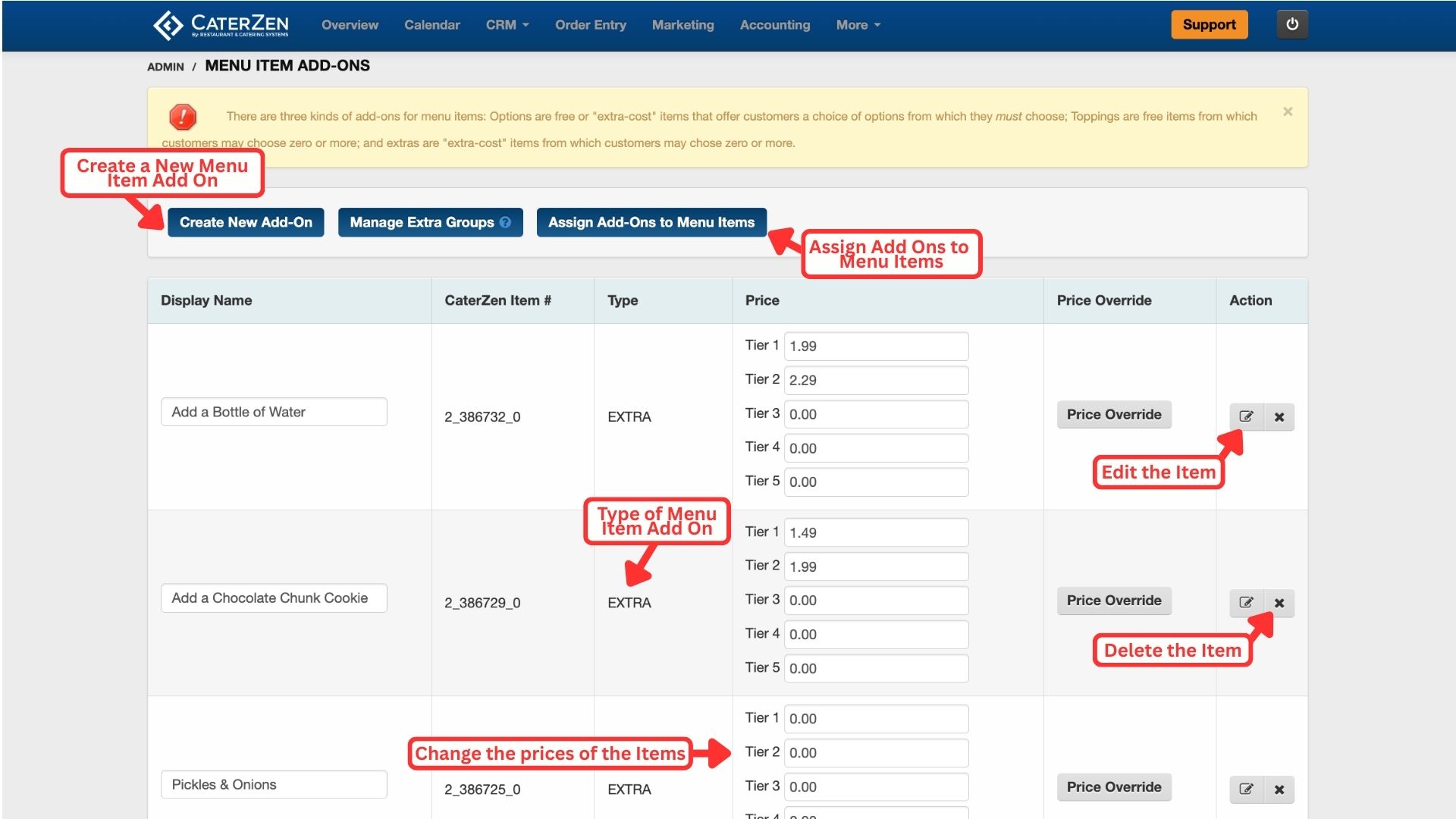
Menu Item Add-Ons
The Menu Item Add-Ons section allows you to manage Options, Extras, and Toppings in bulk.
From here, you can:
Create new add-ons
Edit existing add-ons
Delete add-ons
Assign add-ons to groups
Assign add-ons to menu items
This view is useful when restructuring add-ons or cleaning up unused options.
Duplicate Menu Items
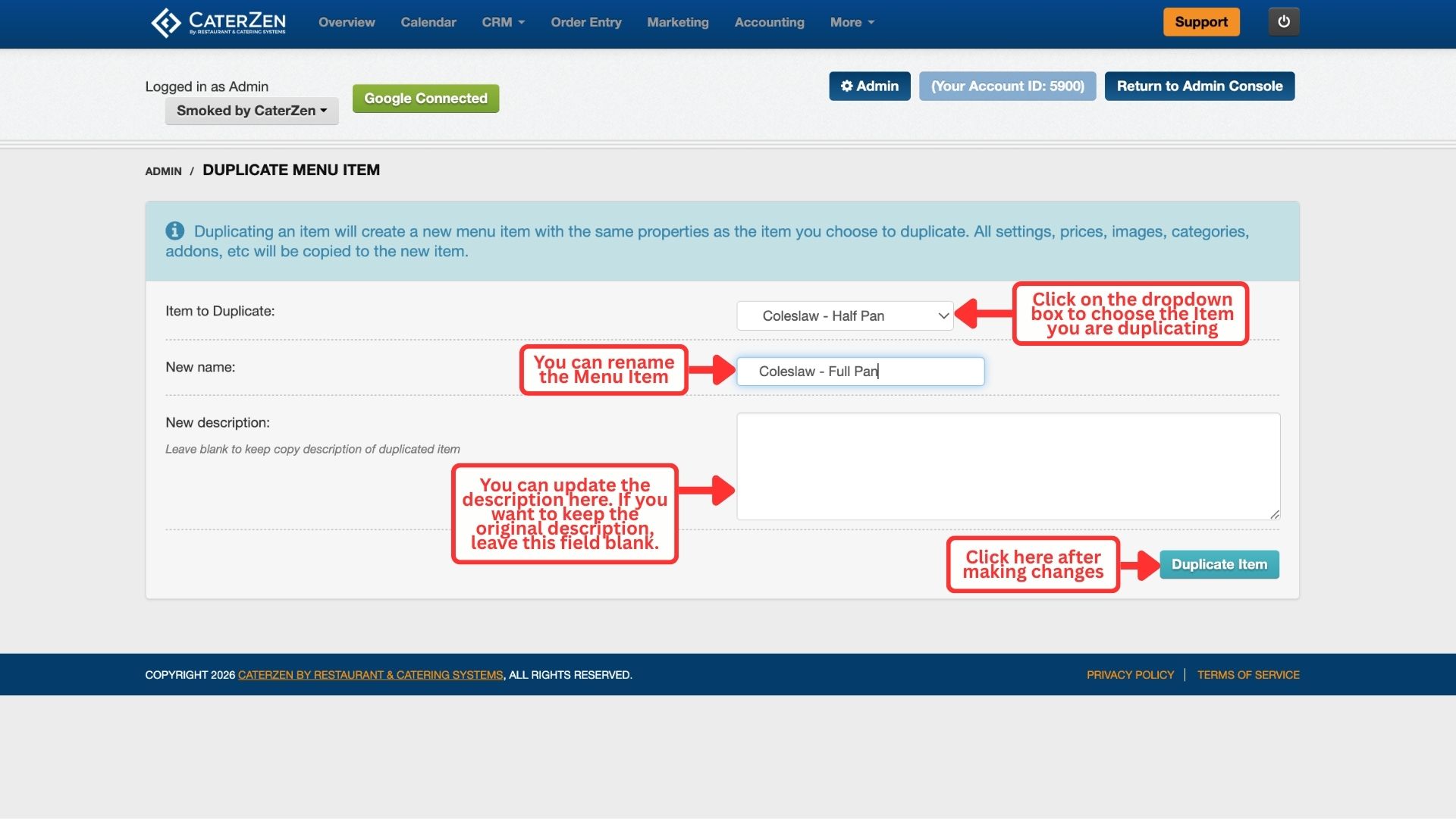
The Duplicate Menu Items section allows you to copy existing menu items.
When duplicating an item:
All settings are copied
Prices and Pricing Tiers are copied
Images are copied
Categories and add-ons are copied
You can rename the item and optionally update the description before saving.
This is especially helpful when:
Creating size variations
Creating similar items with small differences
Speeding up menu creation
Updating Pricing Tiers
The Base Price on a menu item always represents Tier One.
If your account uses additional pricing tiers:
Tier Two through Tier Five must be updated using Manager Etc.
These tiers are not updated from Menu Manager
Bulk tier updates are significantly faster and safer in Manager Etc.
For details on how pricing tiers work, see:
→ Menu Manager: Pricing Tiers
When to Use Manager Etc.
Manager Etc. is the best tool when you need to:
Update prices across an entire menu
Adjust pricing for multiple items or categories
Update Pricing Tiers
Apply consistent pricing changes across locations
Make large, one-time pricing updates
If you are updating only one or two items, Menu Manager is usually the better choice.
Troubleshooting
If pricing updates are not appearing:
Confirm the correct pricing tier was updated
Confirm the affected items are active
Confirm the correct menus were included
Clear the menu cache if needed
→ Menu Settings: Clear Menu Cache
Related Articles
Support
For additional help, refer to the CaterZen Support Center or contact our CaterZen Support Team.
Not a CaterZen customer yet? Discover how our catering software can streamline your business — click here to learn more!