
Overview
The Pull Sheet Report provides a consolidated list of non-food items needed across all orders within a selected date range. Instead of viewing Pull Sheet items by individual order, this report combines quantities so your team can quickly see total counts for packing, staging, or ordering supplies.
This report is especially useful for:
High-volume days
Batch packing
Ordering supplies in advance
Confirming total quantities of service items
How the Pull Sheet Totals Report Fits With Other Reports
The Pull Sheet Totals Report works alongside other production and packing reports.
Use an individual Pull Sheet to see items by order
Use Pull Sheet Report (Totals) to see combined totals across all orders
Use Kitchen Production Report (Legacy) or V2 Kitchen Production Report for food prep
Use Order Production Report for single-order prep
Accessing the Report
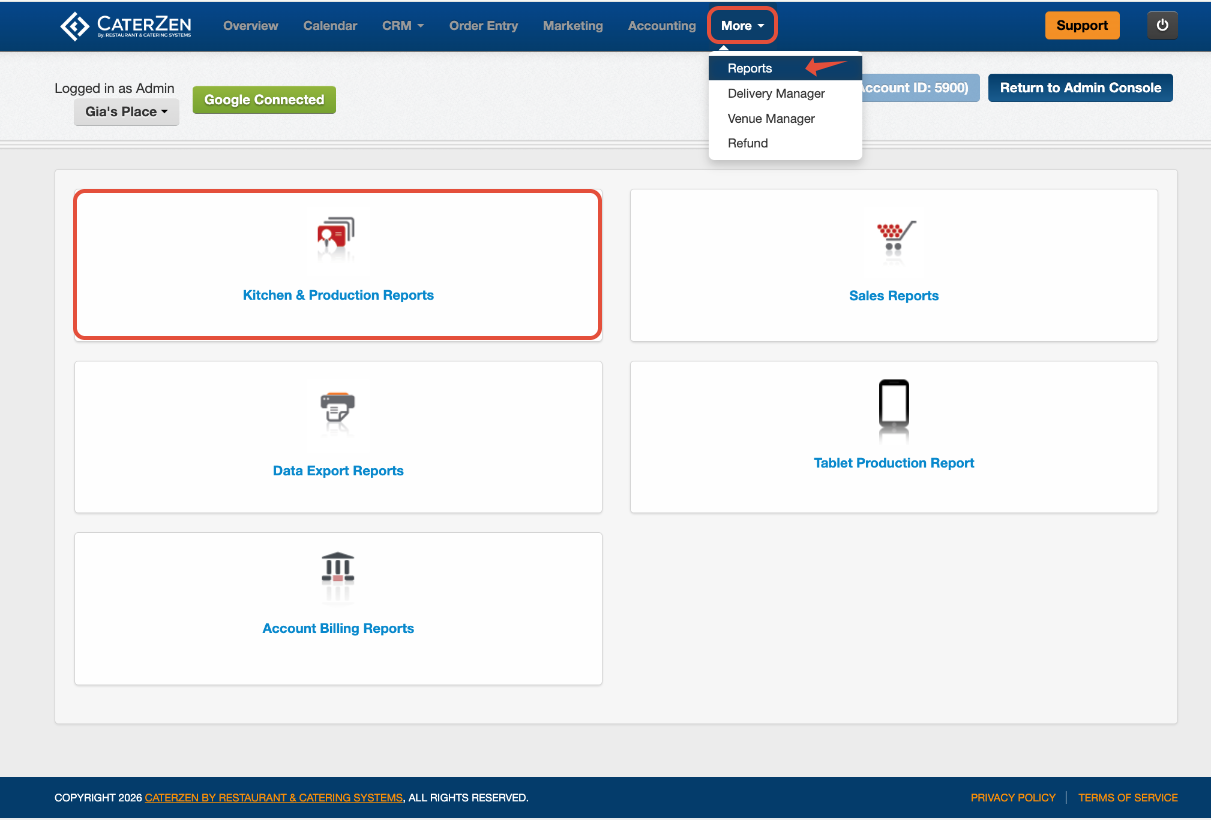
Go to More
Select Reports
Open Kitchen & Production Reports
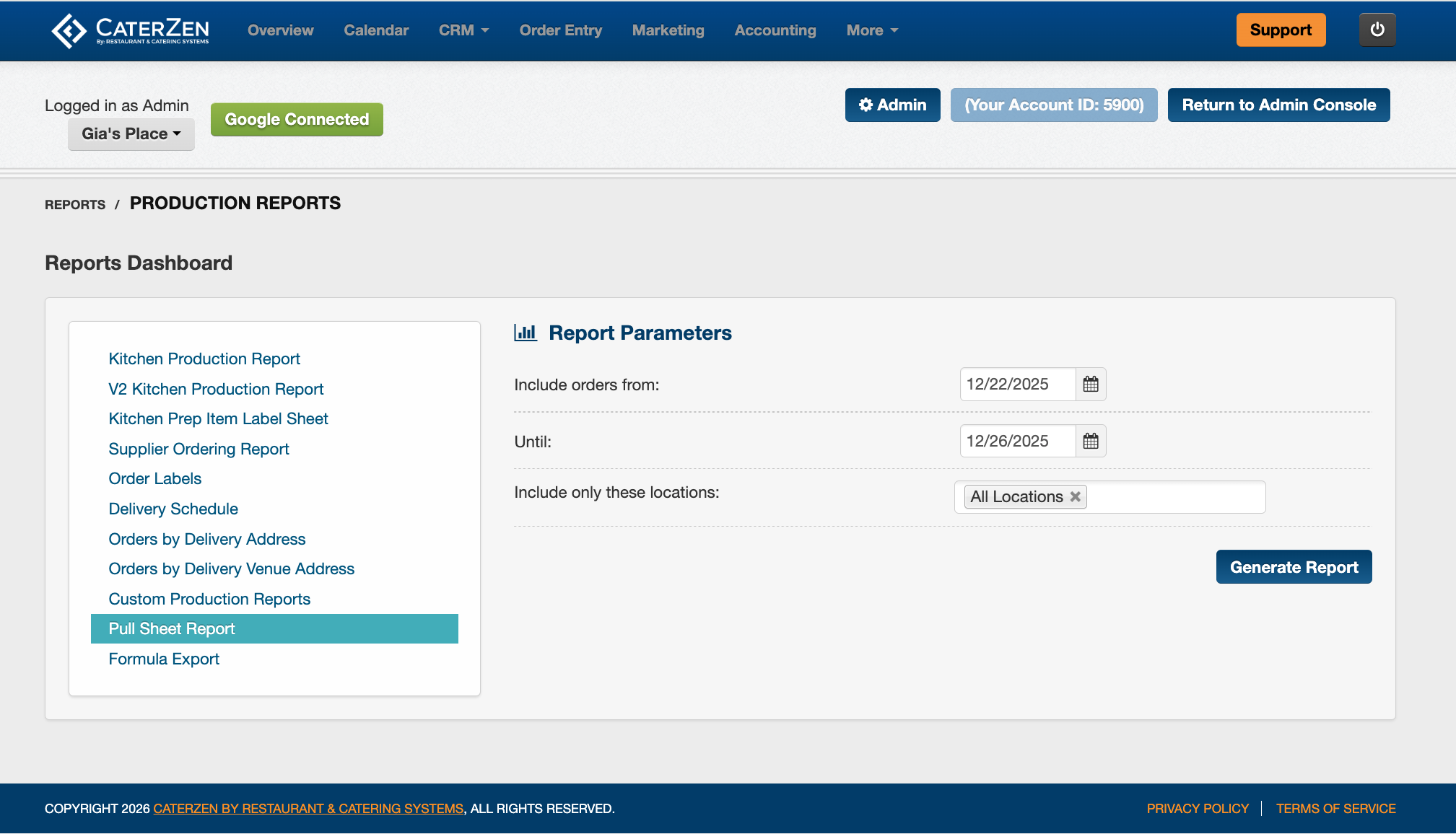
Click Pull Sheet Report
Filter Parameters
Date Range
Choose the date or range you want to include.
Use a single day for daily packing
Use multiple days for ordering or advance prep
Location
Choose one location or include all locations.
Click Generate Report once your selections are complete.
Understanding the Report
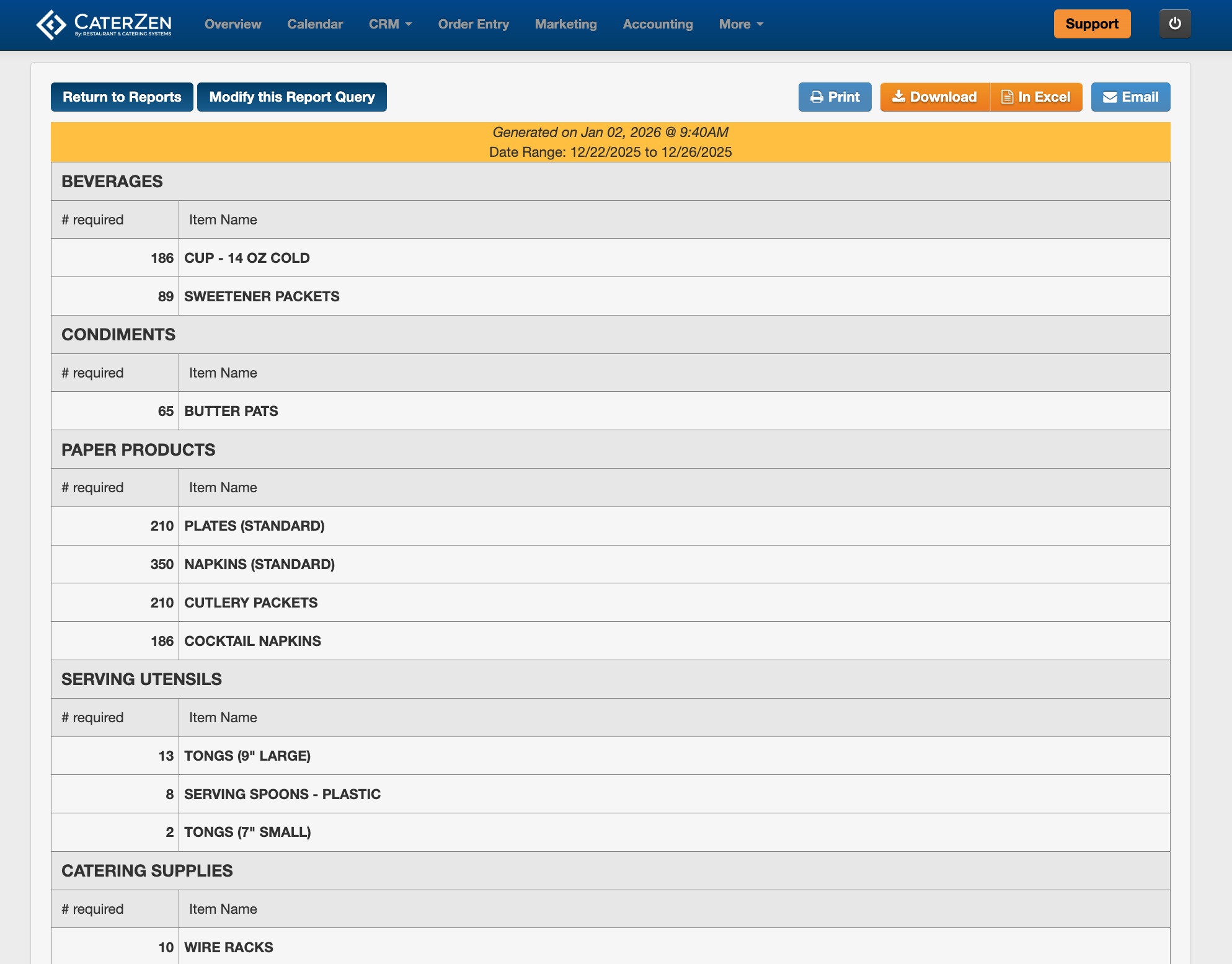
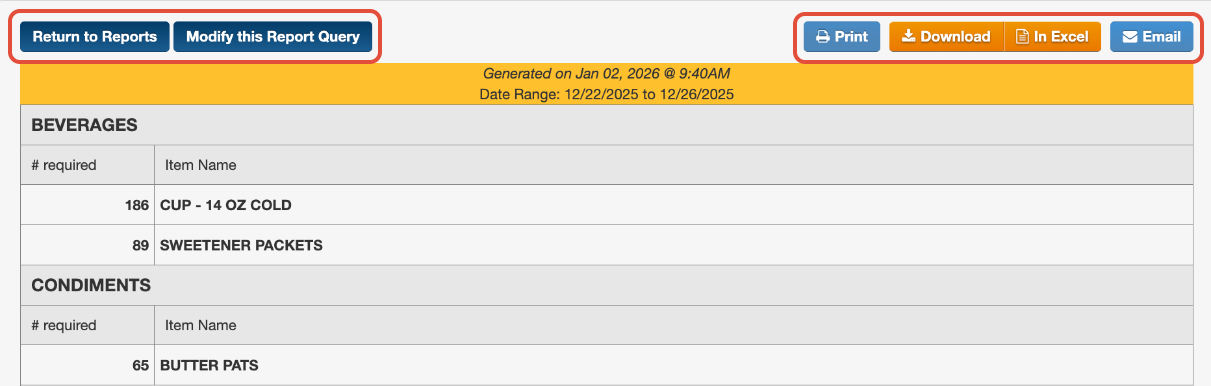
The Pull Sheet Totals Report displays items grouped by category, such as:
Paper goods
Utensils
Beverage supplies
Service items
Each line shows:
Pull Sheet item name
Total quantity needed across all orders with the Date Range chosen
Individual orders are not shown. Only combined totals appear.
Exporting and Sharing
At the top of the report, you can:
- Download as PDF
- Open in Excel
- Email the report
- Modify your selections
Best Practices
Run this report after order cutoffs so totals are final.
Use multi-day ranges when ordering supplies in bulk.
Export to Excel if you want to adjust quantities or add notes.
If totals appear incorrect, confirm Pull Sheet items and formulas are set up correctly. Contact Support if you need help reviewing your configuration.
Related Articles
Support
For additional help, refer to the CaterZen Support Center or contact our CaterZen Support Team.
Not a CaterZen customer yet? Discover how our catering software can streamline your business — click here to learn more!