
Overview
Permission-Based Menus allow you to control which Customers can see specific menus during Online Ordering and Order Entry. By granting access only to selected customers, you can offer exclusive or tiered menus or pricing without exposing them to everyone.
This article covers how to grant menu access to Customers in the CRM. Before assigning access, the menu must already be created and configured as a permission-based menu in Menu Manager.
To learn how to create and configure a permission-based menu, see: Menu Manager: Permission-Based Menus
Before You Begin
Before assigning menu access to a Customer:
The menu must already exist in Menu Manager
The menu must be marked as a Permission-Based Menu
The Customer must already exist in your CRM
If a menu is not configured as permission-based, it will not appear as an option in the Customer record.
This process is completed by an admin or internal user. Customers do not manage menu permissions themselves.
Step-by-Step Instructions
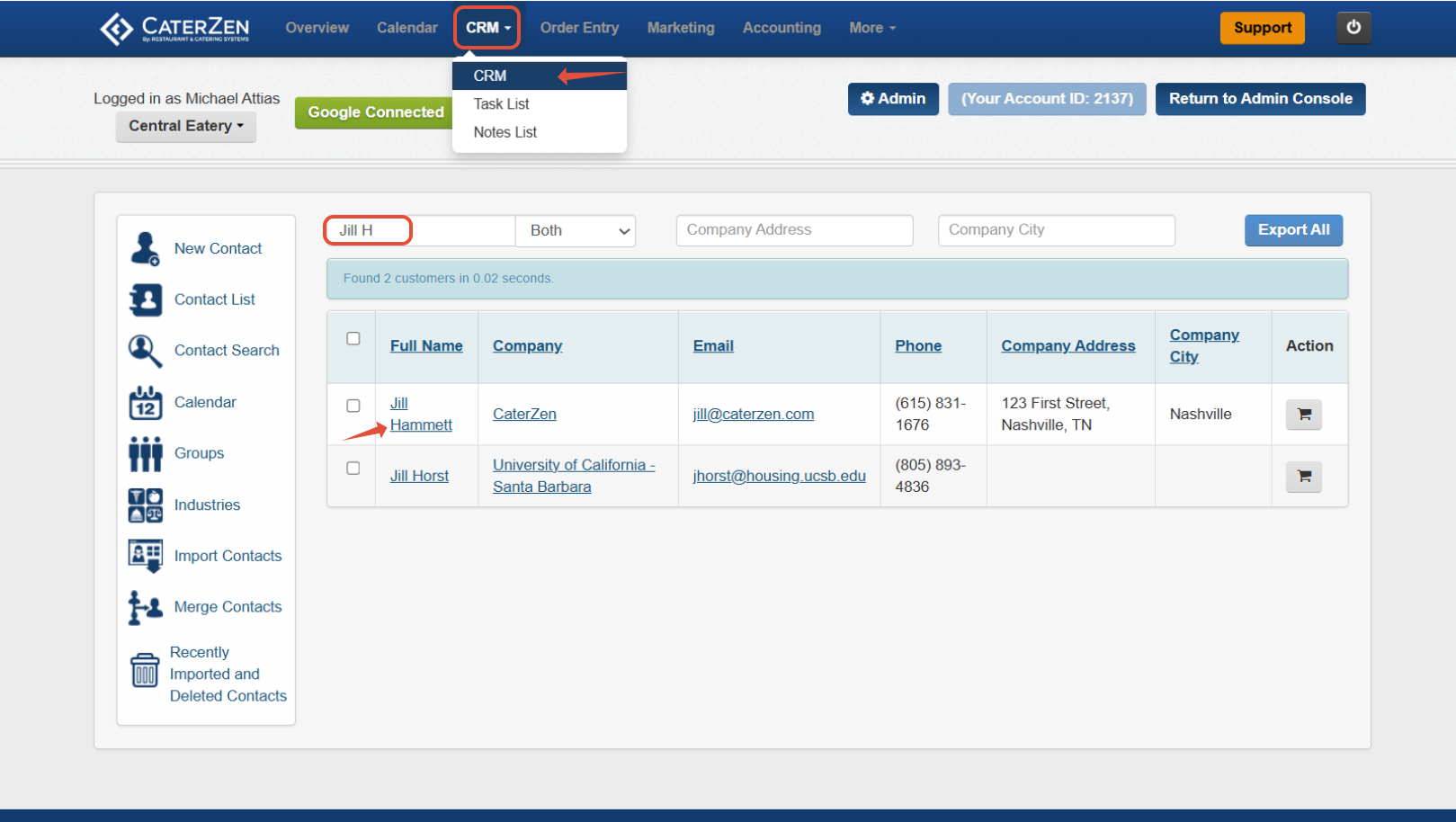
Open the CRM tab
In the main navigation, click CRM.
Use the search bar to find the customer, then click their name.
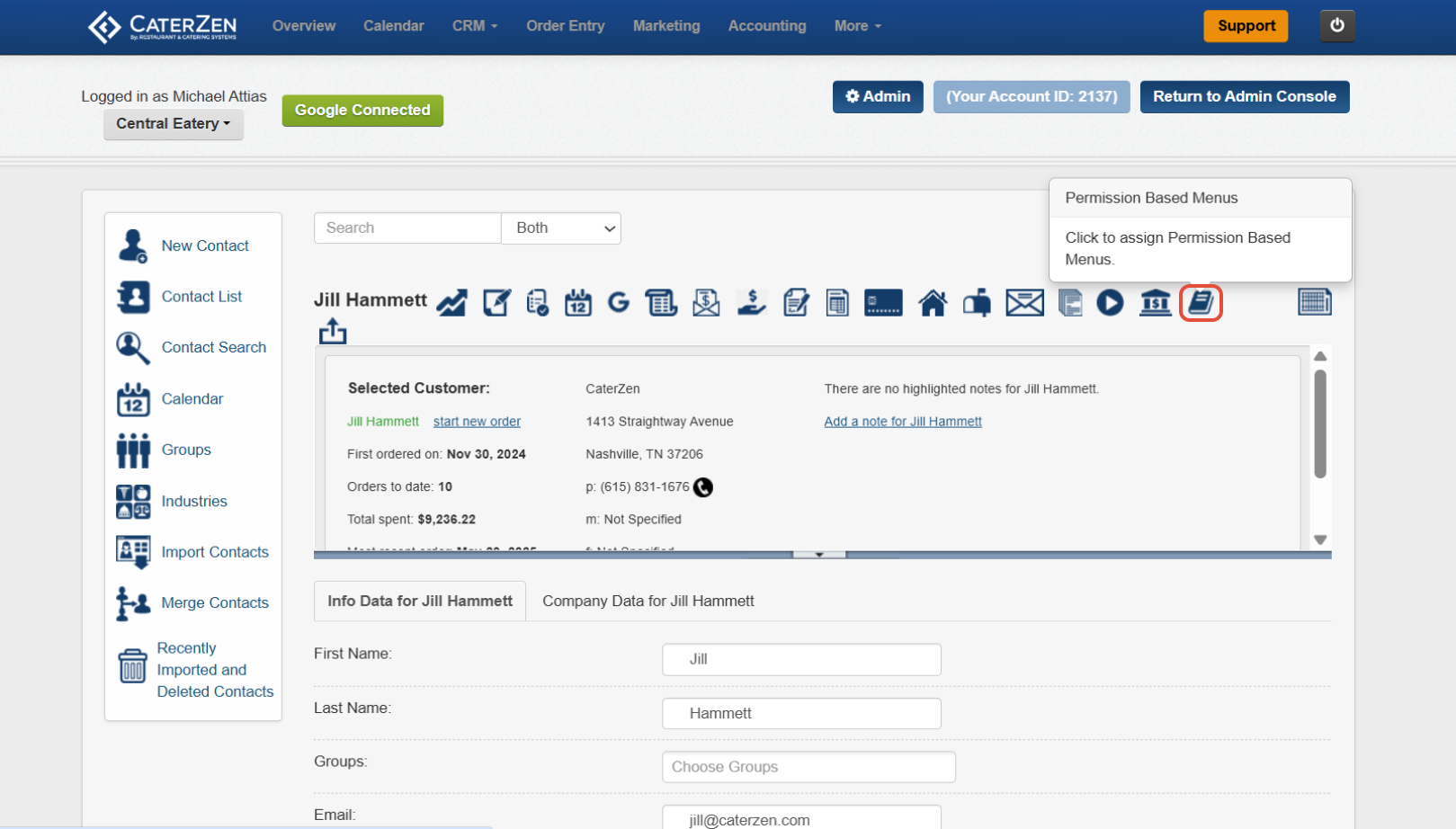
Select the Permission-Based Menu icon
Within the customer’s record toolbar, click the Permission-Based Menu icon.
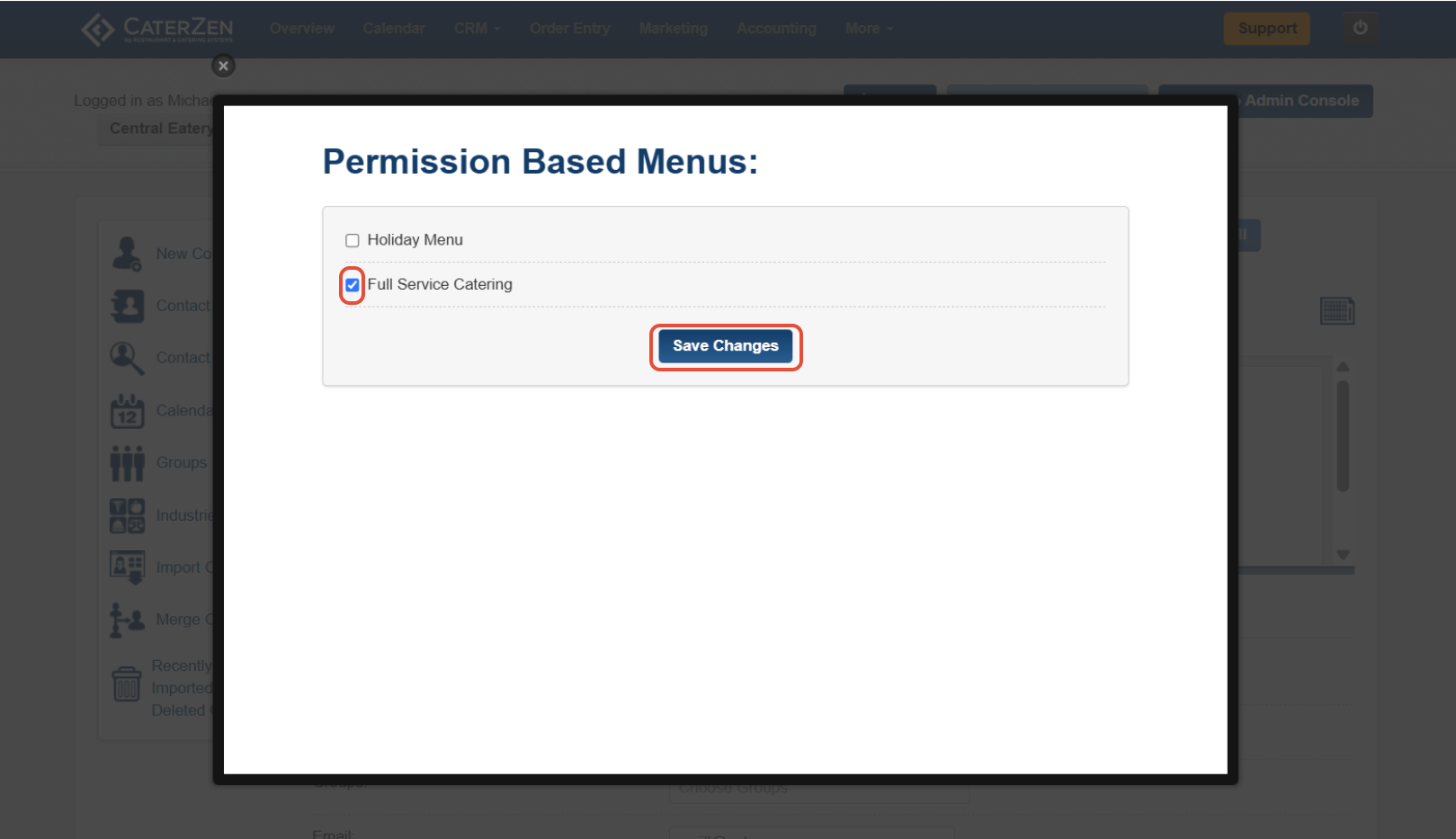
Grant menu access
In the pop-up window, check the box beside each menu you want this customer to view.
Click Save Changes.
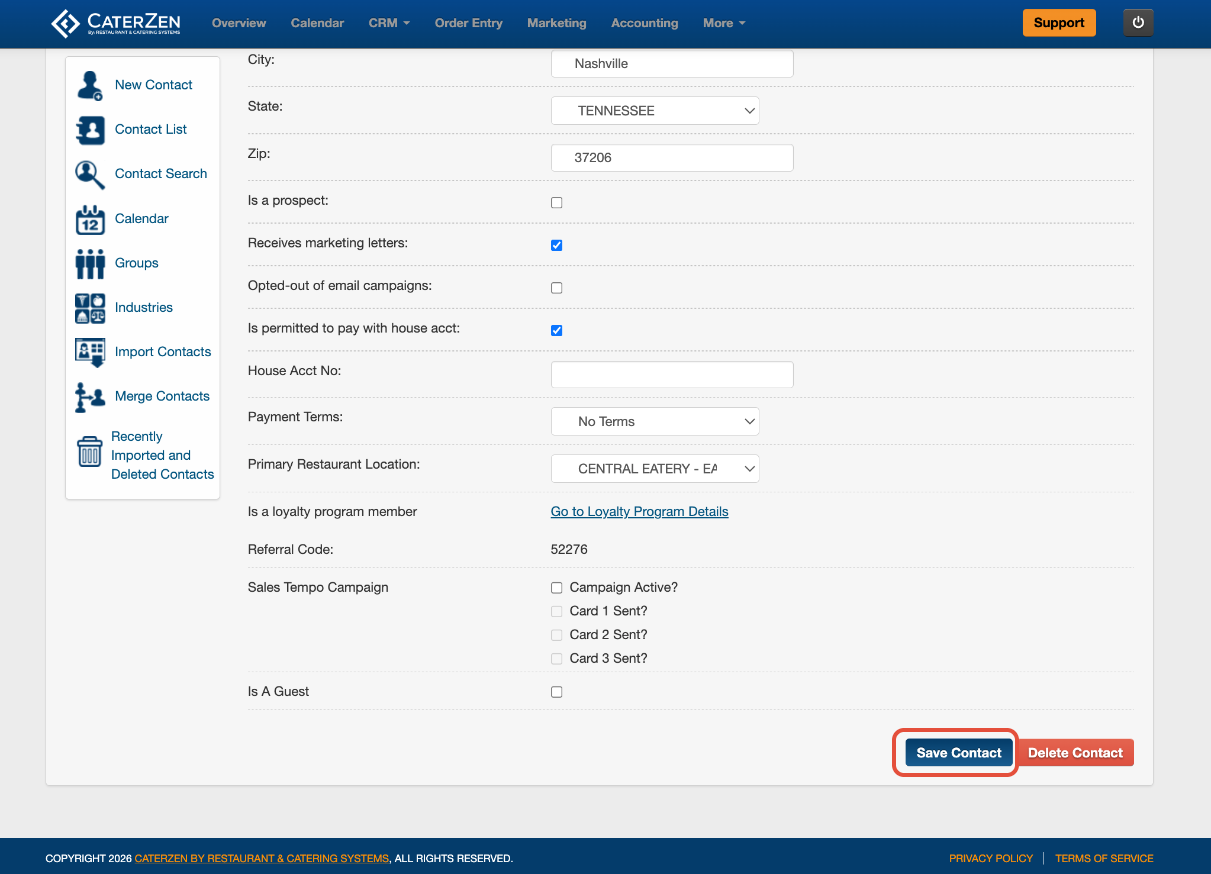
- Save the changes you made to the Customer record by clicking Save Contact
Best Practices
Verify customer details before assigning menus to avoid granting access to the wrong account.
Name menus clearly (e.g., “VIP Lunch Menu” or “Corporate Catering”) so it’s obvious which menus you’re granting.
Review permissions periodically—especially after adding new menus or archiving old ones—to keep access up to date.
Support
You’ve now successfully granted a customer access to one or more permission-based menus. They’ll see only the menus you’ve enabled when they log in and place orders online.
For additional help, refer to the CaterZen Support Center or contact our CaterZen Support Team.
Not a CaterZen customer yet? Discover how our catering software can streamline your business—click here to learn more!