
Overview
This article explains the credit card-related settings your team can still manage in CaterZen, including credit card report email notifications, automatic sales receipt emails, and sales receipt email customization.
If you need to change how your account processes credit cards, such as manual processing, automatic processing, or other payment workflow settings, please contact the CaterZen Support Team.
Before You Begin
Some credit card-related options are still available in the Admin section of CaterZen. These include:
- Managing email notifications for credit card reports
- Turning automatic sales receipt emails on or off
- Customizing the sales receipt email
Credit card processing workflow settings are managed by CaterZen Support.
Manage Email Notifications for Credit Card Reports
You can choose which team members receive credit card processing notifications by email.
Steps
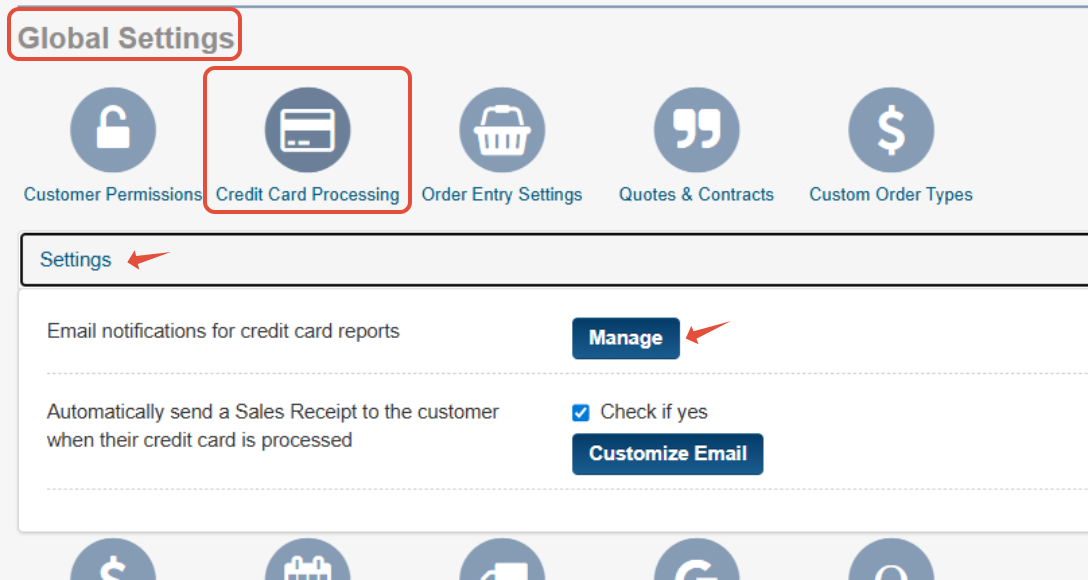
- Go to the Admin → Global Settings → Credit Card Processing → Settings
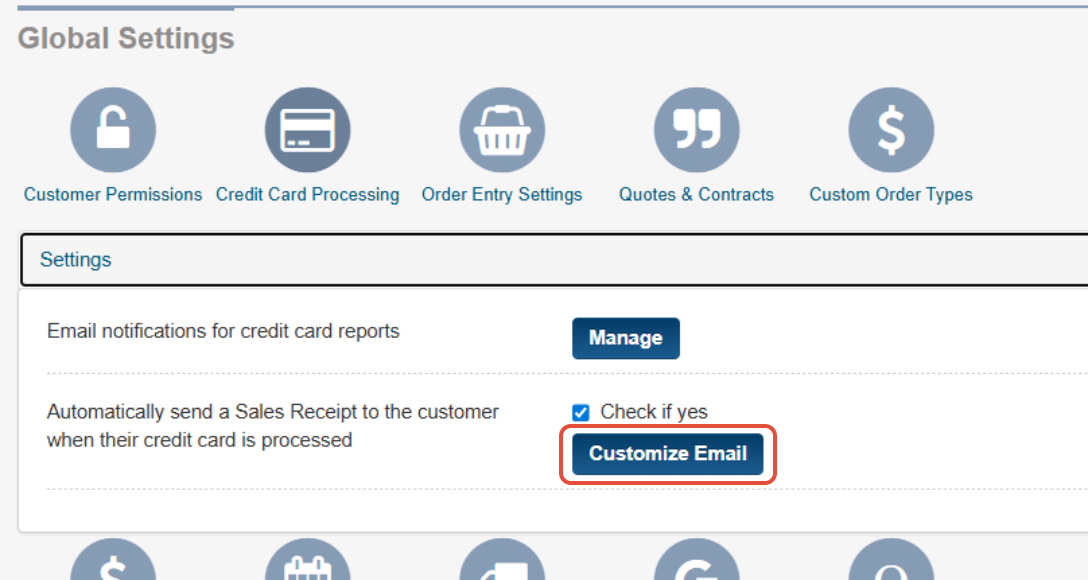
- Locate Email notifications for credit card reports
- Click Manage
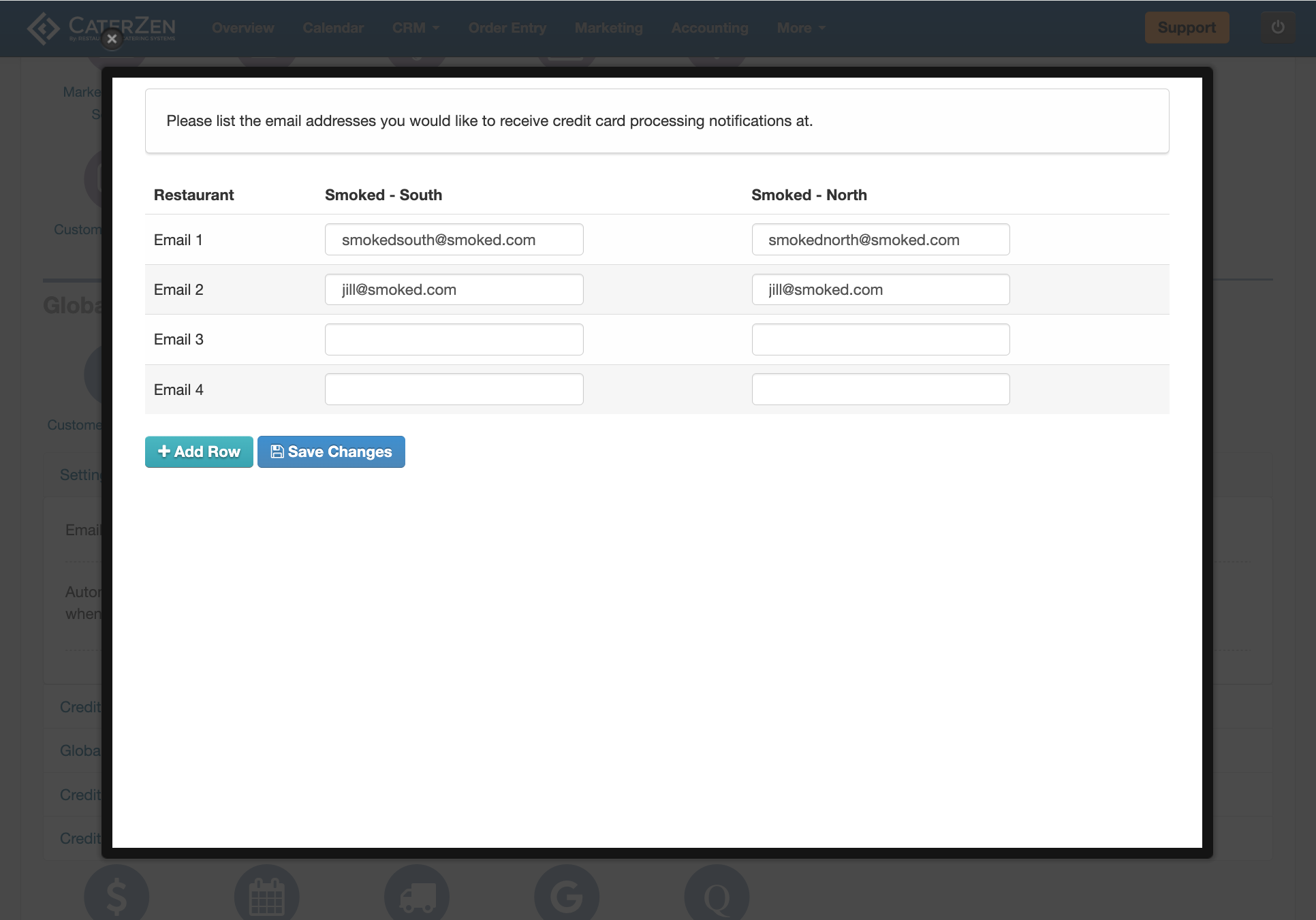
- Enter the email addresses for the employees who should receive transaction approval and decline notifications
- Click Add Row if you need to enter additional email addresses
- Click Save Changes
Automatically Send Sales Receipts to Customers
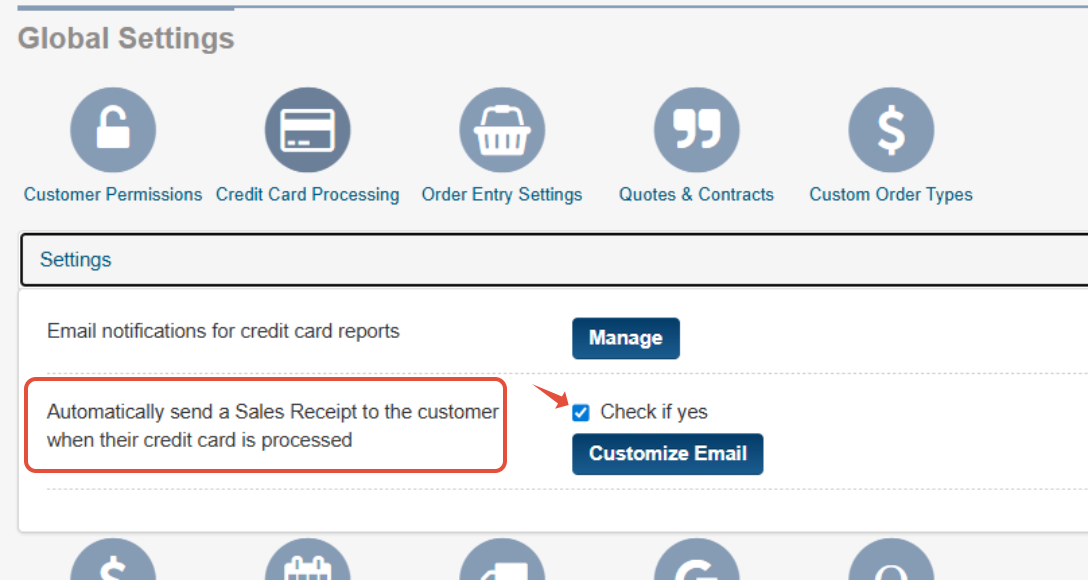
You can choose whether CaterZen sends a sales receipt email automatically after a credit card payment is processed.
- Locate the setting for automatically sending sales receipts to Customers
- Check the box to enable this feature
Customize the Sales Receipt Email
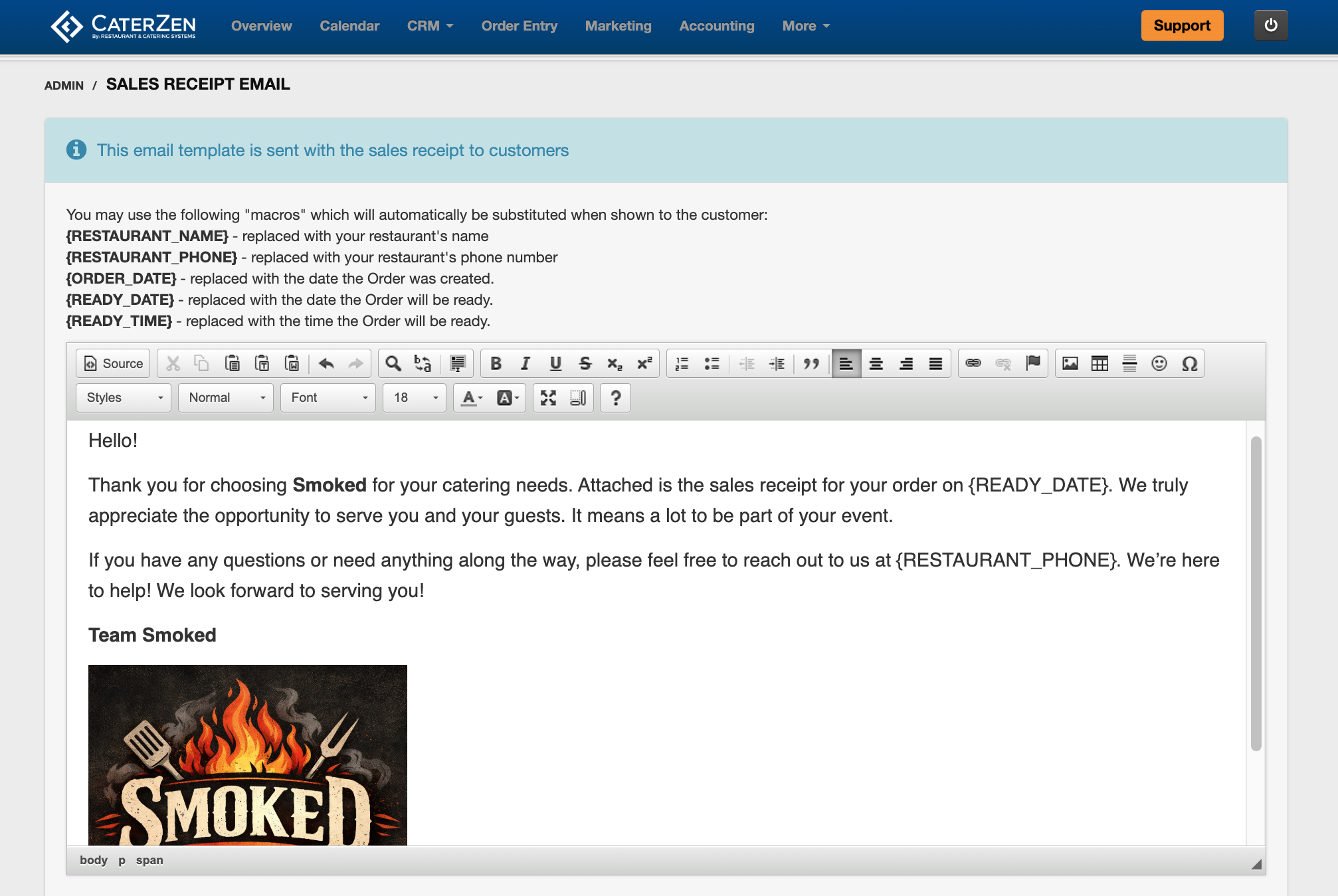
If automatic sales receipts are enabled, you can also update the email message sent to the Customer.
- Click Customize Email
- Update the email content as needed
- Save your changes
Important Note About Credit Card Processing Settings
Your team can manage the notification and receipt settings in this article from the Admin section.
However, if you need to change how your account processes credit cards, such as switching between manual or automatic processing, please contact CaterZen Support.
Related Articles
- Credit Card Processing Options in CaterZen
- Process Credit Card Payments Manually in CaterZen
- Automatic Credit Card Processing in CaterZen
- Manage Pre-Authorized Credit Card Charges in CaterZen
Support
For additional help, refer to the CaterZen Support Center or contact our CaterZen Support Team.
Not a CaterZen Customer yet? Discover how our catering software can streamline your business — click here to learn more!