
Overview
The Orders by Delivery Address Report allows you to view all orders that have been delivered to a specific address. This is especially useful for Customers who deliver repeatedly to the same location and want visibility into order history, frequency, or total spend tied to that address.
Common use cases include:
Reviewing repeat deliveries to the same office, hospital, or venue
Confirming delivery history for a specific address
Quickly locating past orders without searching individually
Using This Report for Pharmaceutical Reps
This report is particularly useful for pharmaceutical reps who deliver meals to the same medical offices, clinics, or facilities on a regular basis.
It can help you:
- See how often food has been delivered to a specific office
- Confirm delivery history for compliance or internal tracking
- Quickly answer questions like “When was the last delivery to this location?”
Because the report is address-based, it removes the need to search by individual Customer or Company name.
Accessing the Report
Go to More
Select Reports
Open Kitchen & Production Reports
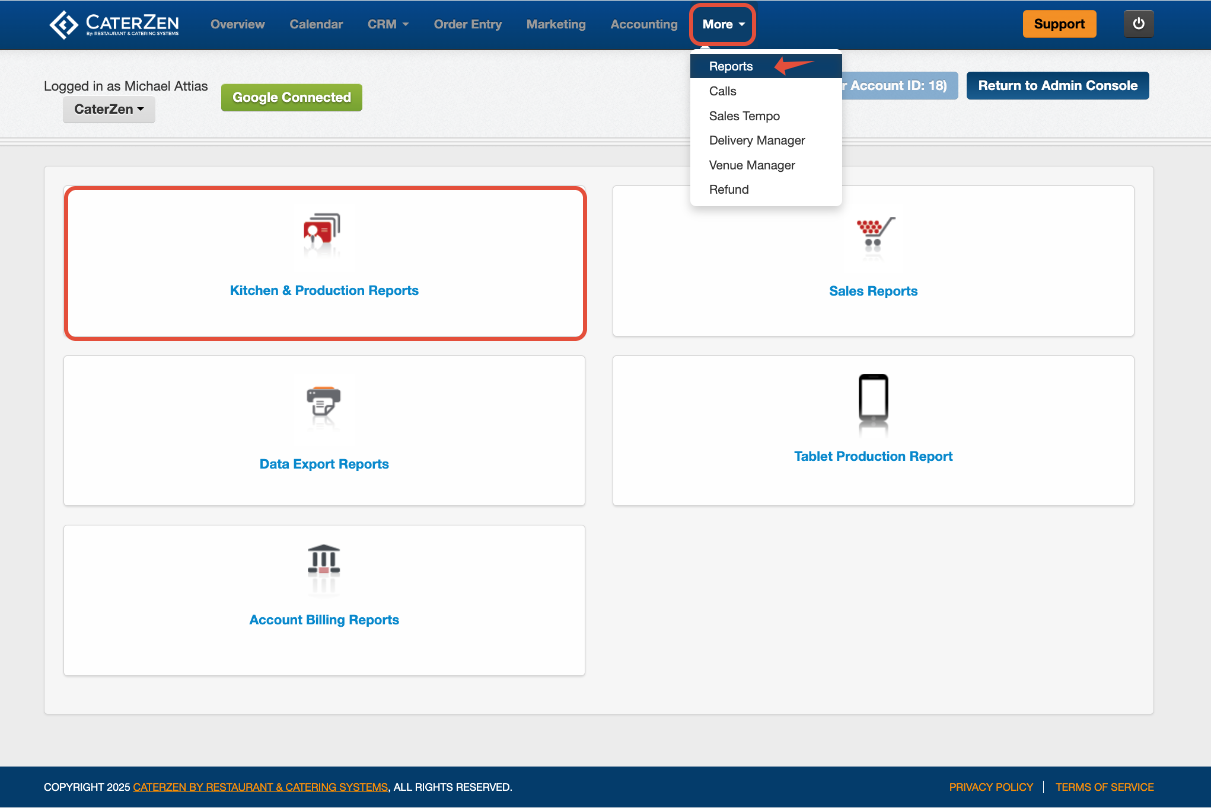
Click Orders by Delivery Address
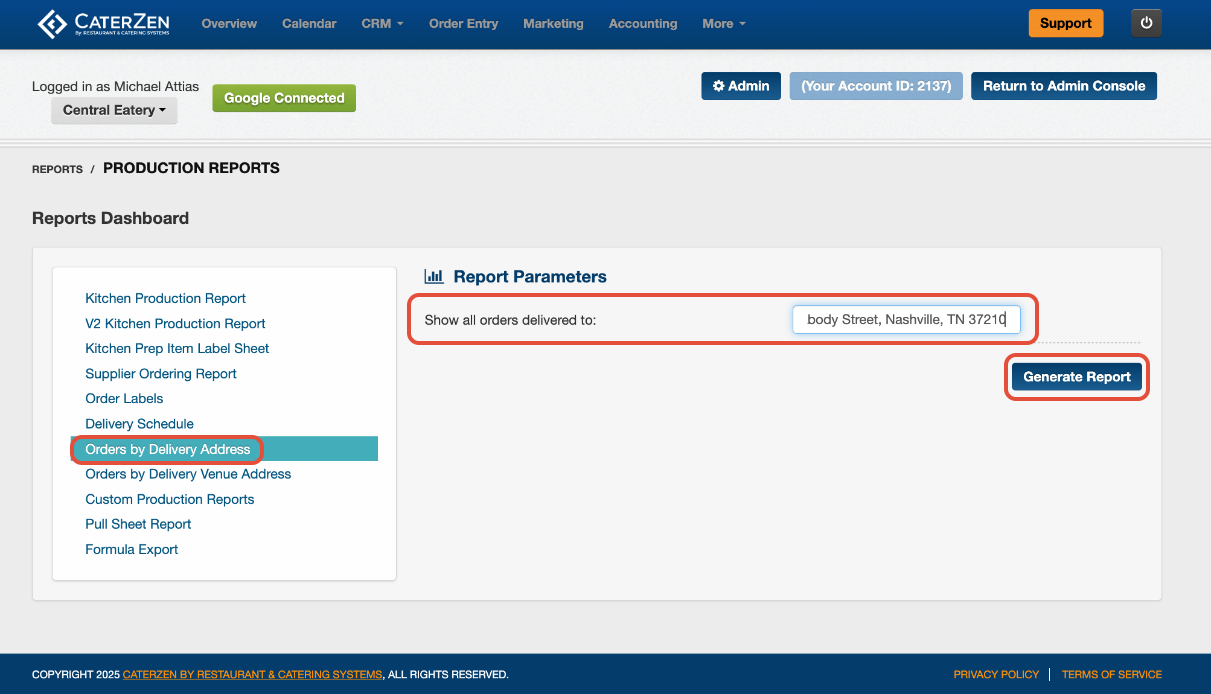
Filter Parameters
Delivery Address
Enter the delivery address you want to look up.
Click Generate Report to run the report.
Understanding the Report
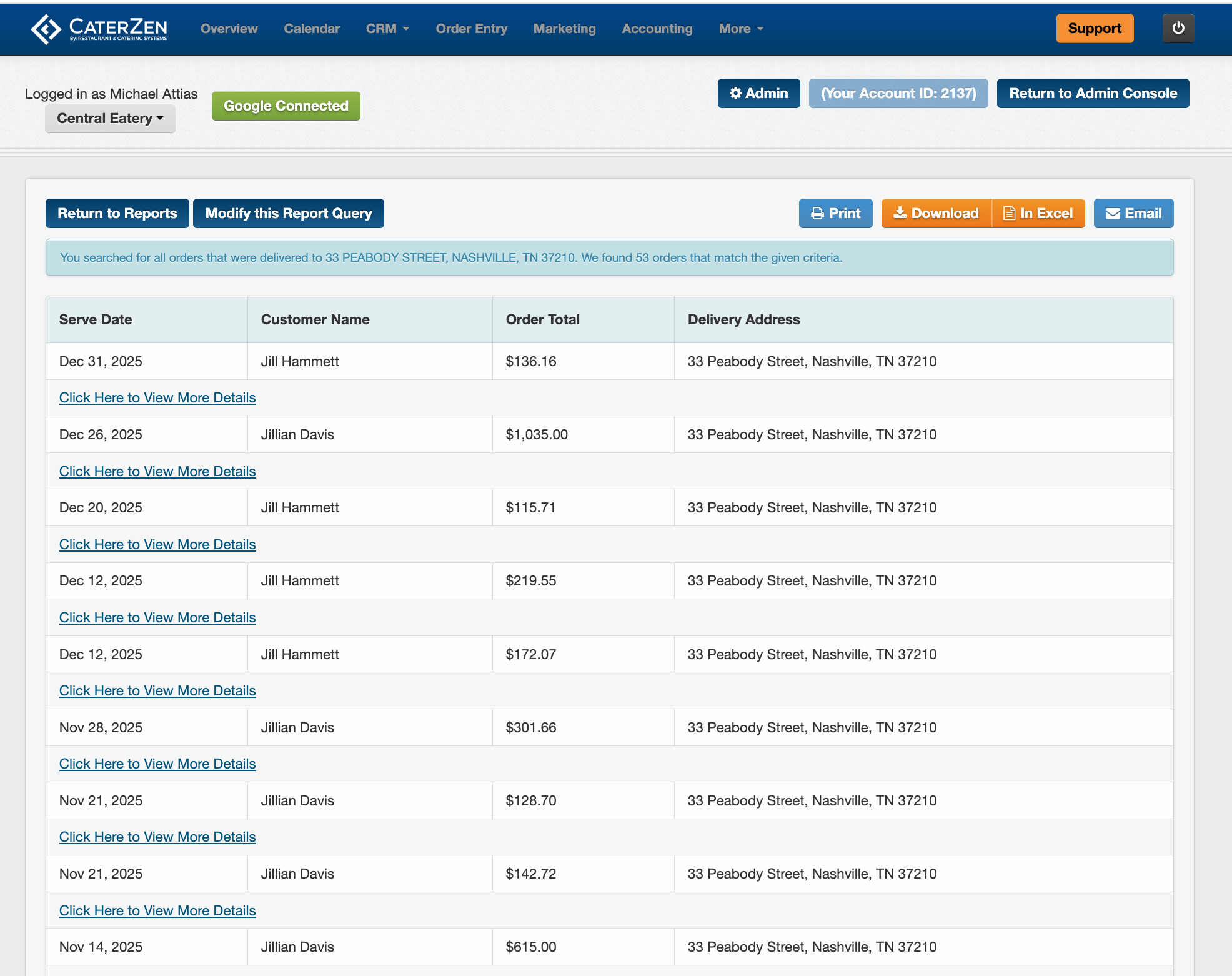
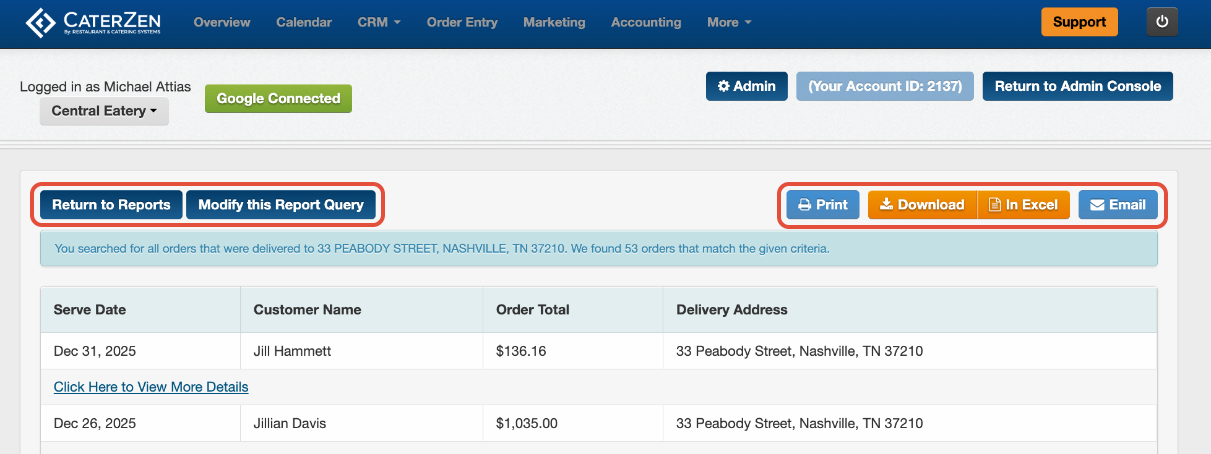
Once generated, the report lists all orders delivered to the entered address, including:
Serve Date
Customer Name
Order Total
Delivery Address
Link to view the order: Each order includes a Click Here to View More Details link, allowing you to open the order directly.
Exporting and Sharing
At the top of the report, you can:
- Download as PDF
- Open in Excel
- Email the report
- Modify your selections
This makes it easy to share delivery history with your team or use the data for internal review.
Best Practices
Use this report when a Customer asks how often they’ve ordered to a specific location.
Confirm the full address is entered correctly to ensure accurate results.
Export to Excel if you want to analyze repeat ordering patterns or totals over time.
Use this report before creating new orders to review past delivery details for the same address.
Related Articles
Support
For additional help, refer to the CaterZen Support Center or contact our CaterZen Support Team.
Not a CaterZen customer yet? Discover how our catering software can streamline your business — click here to learn more!