
Overview
The Orders by Delivery Venue Address Report lets you view all orders that have been delivered to addresses saved in your Venue Manager. This is helpful when you deliver frequently to the same venues and want to review order history tied to a specific venue, not just a typed address.
This report is commonly used to:
Review delivery history for a specific venue
Track repeat orders to event spaces, offices, or medical facilities
Quickly start a new order using a saved venue
Using This Report for Pharmaceutical Reps
This report is especially helpful for pharmaceutical reps who regularly deliver to the same medical offices, clinics, or facilities.
If the venues are saved and reused, this report makes it easy to:
See how often meals were delivered to a specific office
Confirm delivery history for compliance or internal tracking
Avoid searching by individual Customer or Company name
Accessing the Report
Go to More
Select Reports
Open Kitchen & Production Reports
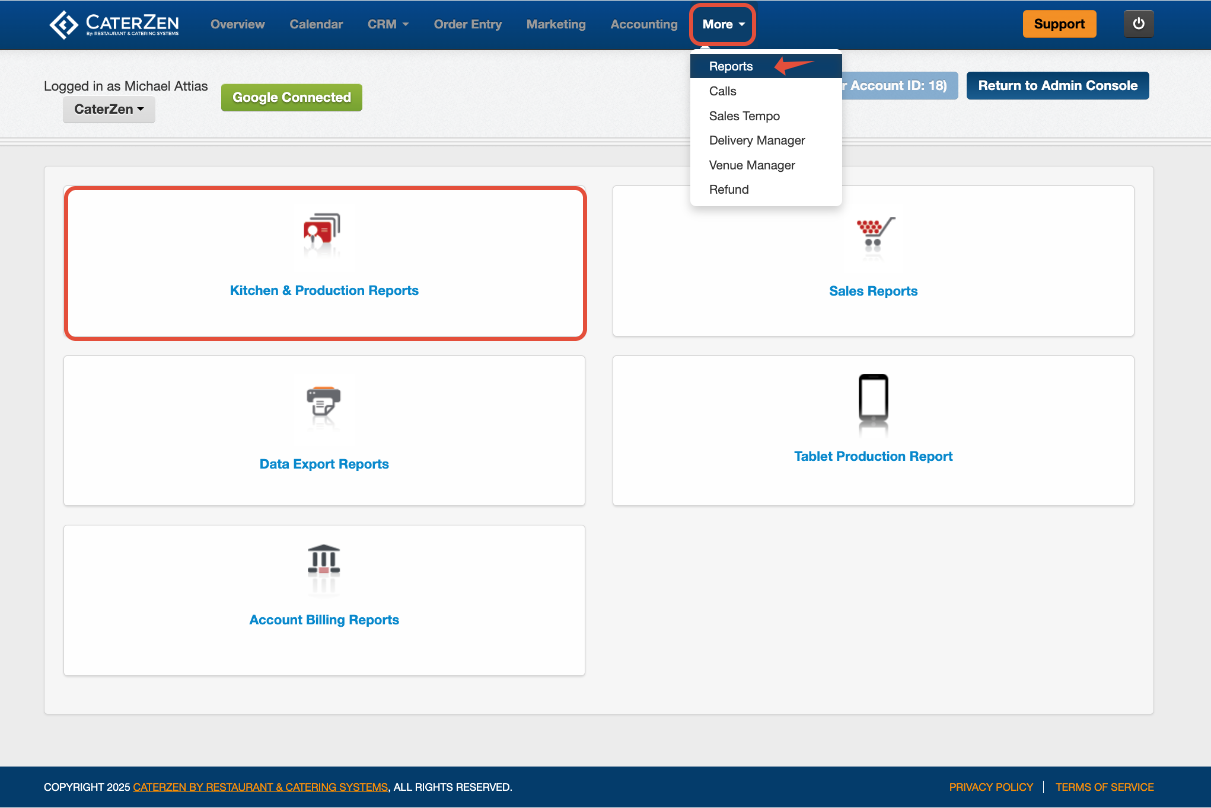
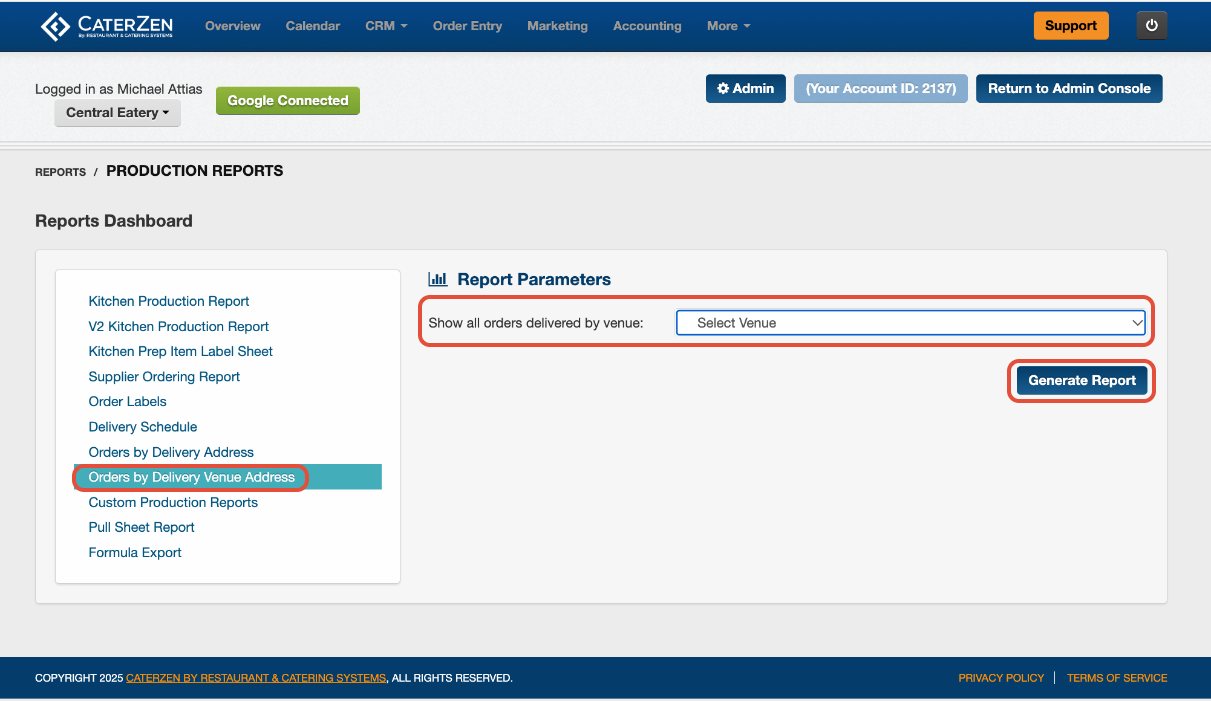
Click Orders by Delivery Venue Address
Filter Parameters
Venue Address
Use the dropdown to select the venue you want to review.
Click Generate Report to run the report.
Understanding the Report
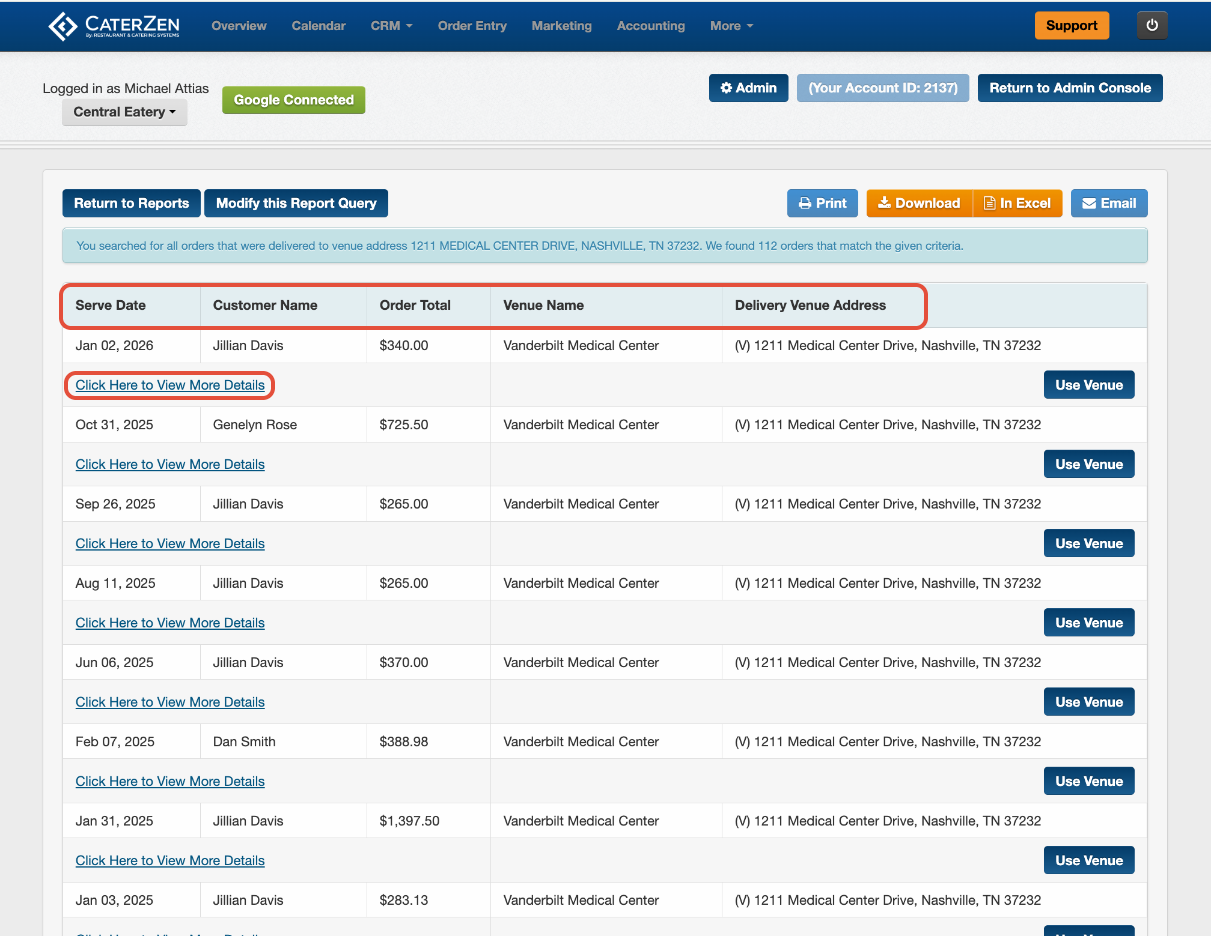
Once generated, the report displays all orders delivered to the selected venue, including:
Serve Date
Customer Name
Order Total
Venue Name
Delivery Venue Address
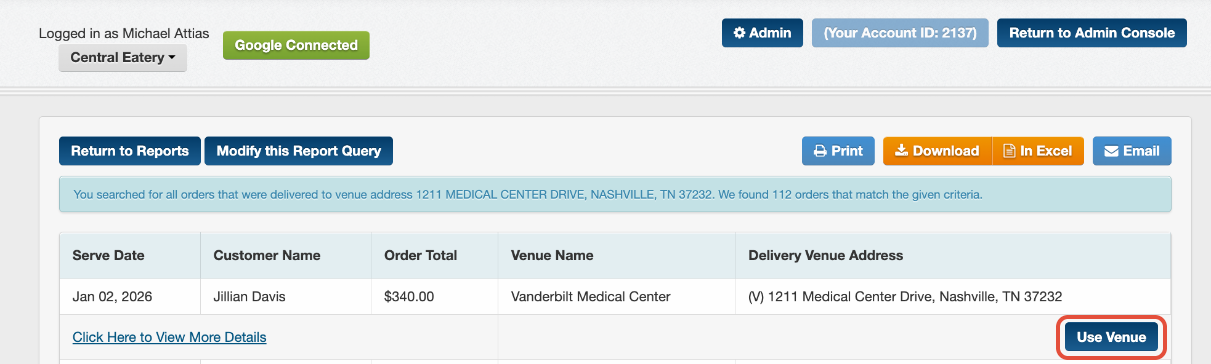
Link to view the order: Each order includes a Click Here to View More Details link so you can open the order directly.
Starting a New Order From a Venue
From this report, you can click Use Venue to begin a new order using the selected venue. This automatically carries the venue details into the order and helps reduce manual entry.
Exporting and Sharing
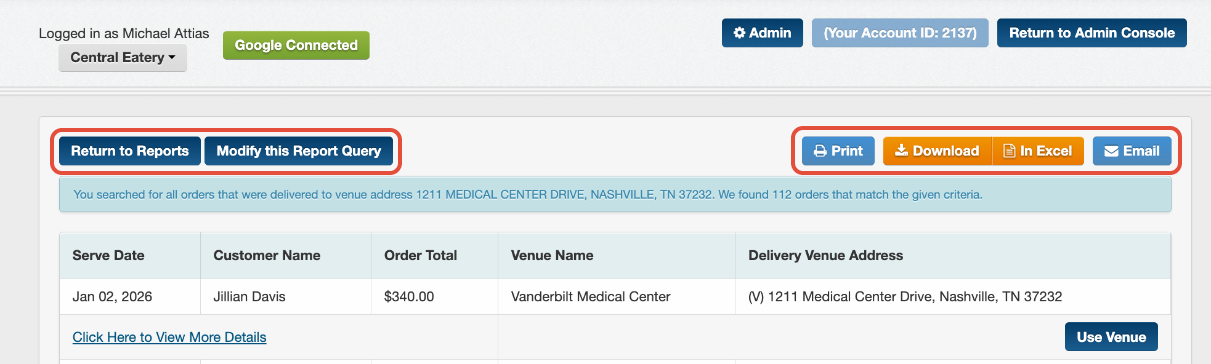
At the top of the report, you can:
- Download as PDF
- Open in Excel
- Email the report
- Modify your selections
This makes it easy to share venue delivery history or review ordering trends.
Best Practices
Use Venue Manager consistently so venues appear in this report.
Select the correct venue from the dropdown to avoid duplicate results.
Review past orders before creating a new one for the same venue.
Export to Excel if you want to analyze frequency or totals by venue.
Related Articles
Support
For additional help, refer to the CaterZen Support Center or contact our CaterZen Support Team.
Not a CaterZen customer yet? Discover how our catering software can streamline your business — click here to learn more!